
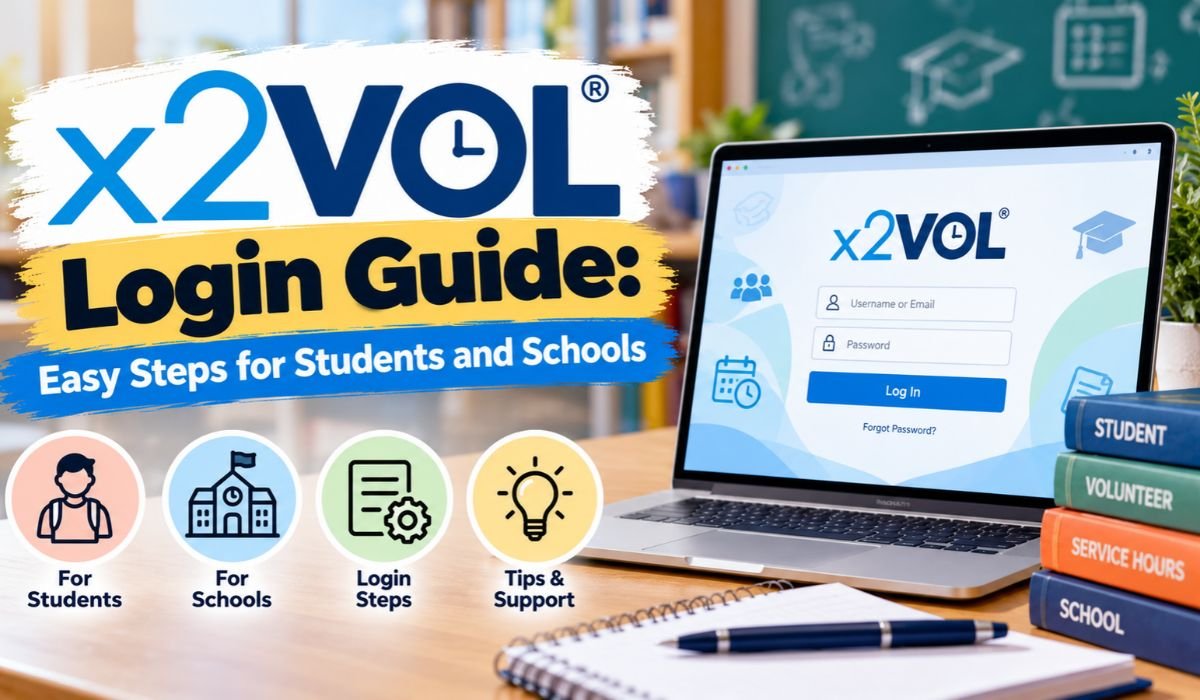
Managing volunteer hours, community service activities, and school requirements can become stressful when students rely on paper forms or scattered records. Fortunately, digital platforms like x2VOL make the process more organized and accessible. Whether you’re completing graduation requirements or participating in community projects, understanding the x2VOL login process is an important first step.
x2VOL is an educational platform that helps students record service hours, monitor progress, and submit activities for verification. Schools also use it to manage volunteer programs and review student participation.
Students can access their accounts through supported school login methods, including Clever, Google, Microsoft, and ClassLink where configured. This guide explains how to sign in, use the dashboard, manage service hours, and resolve common access problems in 2026.
What Is x2VOL and How Does It Work?
x2VOL is an online service-hour management platform developed by IntelliVOL. It primarily serves K–12 schools, helping students document community service, volunteering, service learning, and work-based learning experiences.
Instead of keeping separate paper records, students can enter activity details into their x2VOL accounts. These records may include service dates, completed hours, descriptions, and supervisor information.
After submission, activities pass through the appropriate verification and approval process. Schools can then monitor progress toward graduation requirements or other educational goals.
The platform also encourages students to reflect on their experiences. This makes x2VOL more than an attendance tracker because it helps connect community participation with personal growth and practical learning.
Quick Bio Information About x2VOL
The following information provides a helpful overview of the platform and its main capabilities.
Platform Name
x2VOL
Developer
IntelliVOL
Platform Category
Educational Technology
Primary Purpose
Service Hour Tracking
Main Audience
Students and Schools
Education Level
Primarily K–12
Learning Support
Work-Based Learning
Volunteer Records
Digital Submission
Verification
Supervisor Confirmation
School Review
Approval Workflow
Student Dashboard
Progress Monitoring
Clever Integration
Supported
Single Sign-On
Supported Providers
Mobile Availability
iOS and Android
Student Reflections
Supported
Service Transcripts
Available
School Reporting
Administrative Tools
Mobile App Cost
Free Download
How to Access the Official x2VOL Login Page
Accessing x2VOL is usually straightforward, although the exact method depends on your school. Some institutions use direct account credentials, while others provide access through an existing school identity system.
Begin by opening your school’s recommended x2VOL login page or visiting the official x2VOL website. Select the appropriate sign-in method and enter your authorized credentials if requested.
If your school uses single sign-on, you may be redirected to its chosen authentication provider. Complete that process to access your account.
Always confirm you’re signing in through an official website or school-managed portal. Avoid unfamiliar pages requesting your password, especially those received through unexpected messages.
Students who haven’t received account instructions should contact their school’s service-learning coordinator or technology department.
x2VOL Student Login: Easy Steps to Access Your Account
The x2VOL student login allows students to manage volunteer records and track their community service progress.
Start by opening the login route provided by your school. If your account uses a username and password, enter those details carefully. Check that you’re using the correct email address or username before submitting your credentials.
Students using school-managed authentication should select their supported login provider and complete the required sign-in process.
Once authenticated, you’ll enter your student account, where you can review service goals, existing submissions, and available opportunities.
If the platform opens an unfamiliar account or displays incorrect school information, avoid creating duplicate records. Contact your school to verify that your account has been assigned correctly.
How to Use x2VOL Login Through Clever
Clever is an educational access platform that allows students to open multiple school applications through a centralized system.
x2VOL supports Clever Instant Login and Clever Secure Sync, helping participating schools simplify access and account provisioning.
To use x2VOL Clever login, open your school’s Clever portal and sign in using your approved school credentials. Find x2VOL among your available applications and select it to begin the authentication process.
If the integration is configured correctly, you can access x2VOL without completing a separate manual login.
Clever Secure Sync also helps schools maintain student rosters as enrollment information changes. This can reduce administrative work and account-related problems.
However, not every institution enables x2VOL through Clever. If the application doesn’t appear, ask your school’s technology administrator whether access has been assigned.
x2VOL Login for Teachers and School Administrators
Teachers and school administrators use x2VOL differently from students. While students primarily record activities, authorized educators review submissions and monitor participation.
School staff access their accounts through approved login methods. Their available dashboard tools depend on their assigned permissions and the institution’s configuration.
Administrators can manage service goals, review student hours, approve eligible submissions, and generate reports.
Teachers may also use reflections and activity information to understand how students participate in community programs.
For school districts, centralized records can make service-learning management more efficient. Instead of collecting handwritten forms, staff can review submitted information through a digital workflow.
School administrators should regularly review account permissions to ensure student records remain accessible only to authorized users.
Understanding the x2VOL Student Dashboard
After a successful x2VOL login, students can use their dashboard to manage community service activities.
The dashboard provides access to service-related information, including recorded hours, assigned goals, and progress toward school requirements.
Students can review their submitted activities and identify records that still require verification or approval.
Depending on school settings, they may also explore volunteer opportunities and manage information connected to their service entries.
One important distinction is that submitting an activity doesn’t necessarily mean its hours have been approved. Students should check the relevant status before assuming an activity counts toward their total.
Reviewing the dashboard regularly helps identify missing information, incomplete entries, and approaching school deadlines.
How to Track Volunteer Hours on x2VOL
Tracking service hours is one of the platform’s most important functions. Students can document their volunteer work without maintaining separate paper timesheets.
After signing in, find the option for adding service hours. Enter the activity details requested by the platform, including when the service took place, what work was completed, and how much time was spent.
You may also need to identify the organization, select an appropriate service goal, and provide supervisor contact information.
Before submitting, review your information carefully. Incorrect dates, duplicated hours, or inaccurate contact details can delay verification.
Students should describe their contributions clearly rather than entering vague statements. A useful record explains what was done and how the activity supported the organization or community.
Accurate records are especially valuable when schools require documented service before graduation.
How x2VOL Service Hour Verification Works
Verification helps schools confirm that students genuinely completed their reported service activities.
After a student submits an entry, the designated supervisor or organization contact may receive a request to verify the reported work.
The supervisor reviews the information and confirms whether the activity was completed as described.
However, supervisor verification and school approval are different stages. Even after an organization confirms the hours, the school may need to determine whether the activity meets its requirements.
Some entries remain pending because a supervisor hasn’t responded or school approval is incomplete.
If verification takes longer than expected, students should first check the contact information and submission status. They can then follow up with the appropriate supervisor or school coordinator.
How to Reset Your x2VOL Password
Forgetting a password is a common reason students cannot access their accounts.
If you use direct x2VOL credentials, check the official login screen for the available password recovery option. Follow the instructions associated with your account and use your registered email address when requested.
If a recovery message doesn’t arrive, check your spam folder and confirm that you’re using the correct email account.
Students who use Clever, Google, Microsoft, or ClassLink may need to recover their credentials through that provider instead.
Creating a separate x2VOL password won’t necessarily solve an issue with school-managed single sign-on.
If you remain locked out, contact your school’s technology department or authorized account administrator. Never share your password with classmates or unauthorized individuals.
Common x2VOL Login Problems and Easy Fixes
Most x2VOL login difficulties involve incorrect credentials, authentication settings, or browser-related problems.
If your username or password is rejected, check for typing mistakes, incorrect capitalization, and saved credentials that may be outdated.
When a login page fails to load, refresh the browser, check your internet connection, or try a supported updated browser.
Students using Clever may experience problems if x2VOL hasn’t been assigned to their accounts or school roster information hasn’t synchronized correctly.
An unexpected account restriction may also require assistance from school administrators.
If you successfully sign in but cannot see your service records, confirm that you’re accessing the correct school account before submitting new information.
Avoid repeated account creation, as duplicate accounts can complicate record management.
How to Use the x2VOL Mobile App in 2026
Mobile access has become increasingly important for students completing volunteer activities outside school.
In March 2026, x2VOL announced an enhanced mobile app with improved navigation, mobile registration, service tracking, and account management features.
The application supports iOS and Android devices and includes single sign-on options through supported providers.
Students can record service hours, monitor goals, update verification contacts, and edit eligible submissions.
The updated experience also supports attaching documents or photographs to service entries, making it easier to maintain supporting records.
Students can obtain the official application through their device’s app store. School administrators and organization users can continue accessing the website through a browser.
Benefits of x2VOL for Students and Schools
x2VOL offers practical advantages for schools managing community participation programs.
For students, its biggest benefit is organization. Volunteer activities can be recorded in one place, making it easier to monitor completed hours and outstanding requirements.
Digital records can also support scholarship applications, resumes, and college preparation. x2VOL offers an Official Service Transcript feature for documenting eligible service experiences.
For educators, the platform reduces dependence on physical forms and creates a structured process for reviewing submissions.
Administrators benefit from progress monitoring, reporting tools, and organized approval records.
The platform’s value comes from making community participation easier to document while supporting school accountability and meaningful learning experiences.
Is x2VOL Safe and Secure to Use?
Student privacy deserves attention whenever an educational platform handles personal information.
x2VOL provides school-managed access options, including integration with established identity providers such as Clever.
However, students should still follow basic account security practices. Use strong credentials, avoid sharing passwords, and sign out when using public or shared computers.
Schools should review current privacy documentation and understand how student information is collected, stored, and shared.
Students should also be careful when entering personal information about volunteer supervisors or organizations.
Using authorized login methods and reporting suspicious activity can help reduce account-related risks.
Tips for Managing Your x2VOL Account Successfully
Developing good recording habits makes x2VOL easier to use throughout the school year.
Students should enter service hours soon after completing an activity while the information remains fresh. Waiting several weeks can make it harder to remember accurate times or supervisor details.
Review each submission carefully and confirm that the correct service goal has been selected.
Check pending verification requests regularly, particularly when approaching graduation or scholarship deadlines.
Keeping supervisor information current can prevent unnecessary delays.
Students should also review their school’s service policies before participating in unfamiliar activities. Not every volunteer opportunity automatically qualifies for school credit.
Consistent recordkeeping helps turn x2VOL into a reliable history of community involvement rather than a last-minute administrative task.
Final Thoughts on x2VOL Login
Understanding the x2VOL login process makes managing volunteer activities easier for both students and schools. With digital hour tracking, supervisor verification, progress monitoring, and school-managed access options, the platform supports organized community service programs.
Students benefit most when they record activities accurately, monitor approval status, and use their school’s authorized login method. Teachers and administrators gain tools for managing requirements and reviewing participation.
Whether you’re signing in through Clever, using the mobile app, or accessing your dashboard directly, x2VOL provides a practical way to keep community service records organized throughout the school year.
FAQs About x2VOL Login
What Is x2VOL Login Used For?
x2VOL login provides access to a student’s service-hour management account. Students can record volunteer activities, monitor service goals, manage verification requests, and review their progress toward school requirements.
Can Students Log In to x2VOL Through Clever?
Yes. Schools that enable the Clever integration can provide access through Clever Instant Login. Students should use their authorized school credentials and select x2VOL from the available applications.
Why Is My x2VOL Login Not Working?
Common causes include incorrect credentials, browser difficulties, account provisioning problems, or an unavailable school application assignment. Check your login method and contact school support if the problem continues.
Can I Use x2VOL on My Phone?
Yes. x2VOL provides a mobile application for iOS and Android. Students can use it to manage service entries, monitor goals, and handle verification information.
How Do I Add Volunteer Hours?
After signing in, open the service-hour entry feature and provide the requested activity information. Include accurate dates, completed hours, descriptions, and supervisor details before submitting the record.
Why Are My Volunteer Hours Still Pending?
Pending hours may be awaiting supervisor verification or school approval. Check the submission status and confirm whether further information is needed.
Is x2VOL Free for Students?
The mobile application is available as a free download. Access to school-specific service programs and platform features depends on the institution’s arrangements with x2VOL.
Learn more and explore exciting content on: IP2 Network Explained: How It Works, Uses, and Key Benefits











Leave a Reply